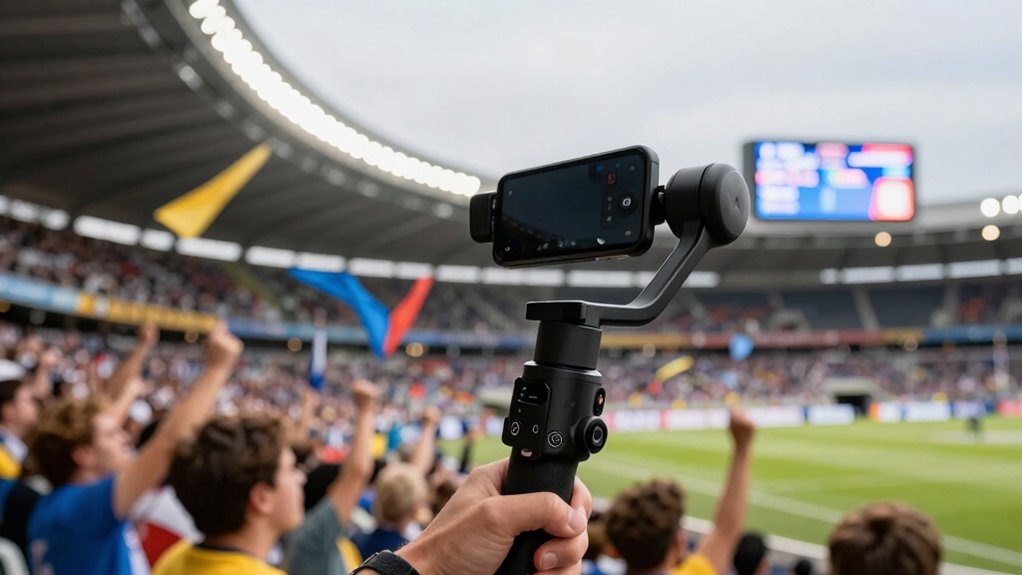

Using a mobile gimbal helps you create smooth, steady footage, even during fast-paced stadium action. It stabilizes your camera by counteracting hand movements, so your videos look professional and distraction-free. This keeps your viewers focused on the game and atmosphere, rather than shaky clips. The lightweight design lets you move freely and capture dynamic shots easily. Keep exploring, and you’ll discover how tech advancements are making it easier than ever to produce high-quality stadium vlogs.

Get sports gear delivered free with Prime
- Fast, free delivery on millions of items
- Prime Video, Amazon Music and more included
- Member-only deals all year
Key Takeaways
- Mobile gimbals stabilize footage, reducing shakiness and providing smooth, professional-looking videos during fast-paced stadium action.
- They enable seamless movement and dynamic angles, making the vlog more engaging and visually appealing.
- Gimbals help maintain steady shots while walking or chasing highlights, ensuring important moments are captured clearly.
- Their portability and ease of use allow vloggers to quickly adapt to different scenes without missing key highlights.
- Technological advancements make gimbals affordable and effective, enhancing overall video quality and viewer experience.
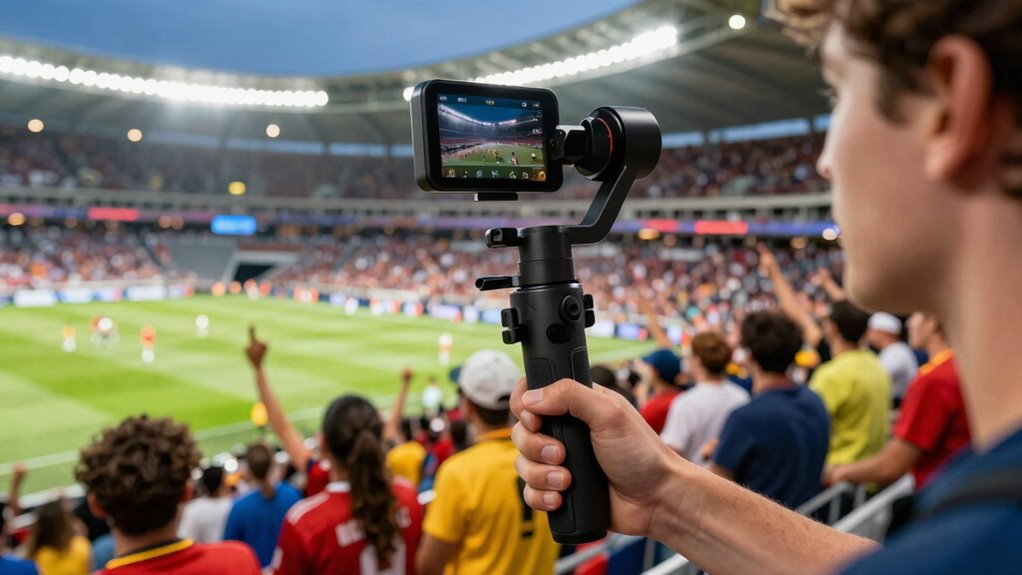
Stadium vlogs can be exciting, but shaky footage often distracts viewers from the action. That’s where mobile gimbals come in, transforming your footage into smooth, professional-looking videos that keep your audience engaged. With a gimbal, you can move freely through a crowded stadium without worrying about camera shake, allowing your viewers to feel like they’re right there with you. The key is camera stabilization; a gimbal uses motors and sensors to counteract your hand movements, ensuring your shots stay steady no matter how much you move. This stability makes your footage much more watchable, especially during fast-paced moments like touchdowns, crowd cheers, or player close-ups.
Mobile gimbals create smooth, professional stadium footage, making your vlogs more engaging and immersive.
When your footage is smooth, viewers are more likely to stay engaged. Nothing turns someone off faster than jittery, unsteady videos that make it hard to follow the action. Gimbals help you maintain a professional quality that elevates your entire vlog. Your audience can focus on the game, the atmosphere, and your commentary without feeling distracted by shaky visuals. As you walk through the stands or chase after the action, the gimbal keeps your camera steady, giving your videos a polished look that commands attention and builds trust with your viewers. This improved camera stabilization directly correlates with higher audience engagement because people enjoy watching high-quality, easy-to-follow content.
Moreover, mobile gimbals are lightweight and easy to operate, so you can quickly switch between different shots—whether you’re capturing wide angles of the crowd or zooming in on intense moments. Their portability means you won’t miss essential game highlights just because you’re trying to hold the camera still. Instead, you can focus on framing your shots creatively, knowing the gimbal will smooth out any unintended shakes. This flexibility lets you tell a more compelling story and keep your vlog dynamic and lively. Additionally, camera stabilization technology ensures your footage remains steady even during rapid movements, making your videos more immersive and professional-looking. As technology continues to advance, mobile gimbals are becoming more affordable and accessible for amateur content creators, opening up new possibilities for high-quality stadium vlogs. It’s also important to understand that stability technology plays a crucial role in producing smooth footage in various shooting conditions.
In the end, the combination of camera stabilization and ease of use makes mobile gimbals indispensable tools for anyone serious about creating exceptional stadium vlogs. By delivering steady footage, you enhance the viewing experience and boost audience engagement. Your viewers will enjoy smoother, more immersive videos that capture the energy of the game and your enthusiasm. With a gimbal, you don’t just record a game—you craft a compelling story that keeps your audience coming back for more.
As an affiliate, we earn on qualifying purchases.
Frequently Asked Questions
Are Mobile Gimbals Suitable for All Smartphone Sizes?
Mobile gimbals are generally suitable for most smartphone sizes, thanks to their size compatibility features. They provide stability enhancement by balancing your device, regardless of size, ensuring smooth footage. However, some gimbals may have weight or dimension limits, so it’s essential to check compatibility before purchasing. Overall, most modern gimbals are versatile enough to work with a wide range of smartphones, making your stadium vlogs more professional and watchable.
How Do Gimbals Affect Battery Life During Extended Filming?
Gimbals can drain your smartphone’s battery faster during extended filming, so practicing battery conservation is essential. They demand extra power for stabilization, impacting overall usage. To minimize this, enable power management features on your device, reduce screen brightness, and turn off unnecessary apps. Using a portable power bank helps guarantee you stay powered longer. Managing these factors allows you to enjoy steady, high-quality footage without worrying about running out of battery.
Can Gimbals Be Used for Live Streaming at Stadiums?
Absolutely, you can use gimbals for live streaming at stadiums! They’re like magic wands of stabilization techniques, turning shaky footage into buttery-smooth streams. With the right live streaming accessories, your broadcast will look professional and engaging, even amidst roaring crowds. Just mount your gimbal, connect your device, and you’re ready to deliver an engaging, steady live experience that feels as immersive as being right there in the stands.
What Is the Learning Curve for Mastering Gimbal Use?
Mastering gimbal use has a moderate learning curve. You’ll need to practice Gimbal calibration to guarantee smooth operation and familiarize yourself with stabilization techniques. At first, it might feel awkward, but with consistent practice, you’ll develop steady hands and smooth movements. Focus on balancing the gimbal properly and experimenting with different stabilization techniques to improve your skills, making your stadium vlogs more professional and watchable in no time.
Do Gimbals Improve Audio Quality in Stadium Vlogs?
Gimbals mainly improve video stability, but their stabilizer impact can indirectly enhance audio quality by reducing shaky footage that might distract viewers from audio cues. While they don’t directly boost audio enhancement, using a gimbal helps you maintain smooth footage, making conversations and environmental sounds clearer and more consistent. Overall, a gimbal’s stabilizer impact creates a more professional look, encouraging viewers to focus on both visuals and audio in your stadium vlogs.
Conclusion
With a mobile gimbal in hand, your stadium vlogs become an unstoppable force of entertainment. Say goodbye to shaky, dizzying footage—your viewers will be glued to every exhilarating moment, feeling like they’re right there with you. It’s like wielding a magic wand that transforms your shaky clips into buttery-smooth cinematic masterpieces. So, grab a gimbal and turn your stadium adventures into the most watchable, jaw-dropping vlogs out there. Your followers won’t believe their eyes!
NFL season / tailgating Picks
team gear
As an affiliate, we earn on qualifying purchases.