
A 120Hz refresh rate improves motion smoothness, but it’s not the only factor for great sports viewing. Comfort issues like eye strain, flicker, and display quality also matter. Features like accurate colors, good sound, and high brightness enhance the experience. Plus, streaming quality, response time, and latency impact what you see and how you react. To get the full picture, keep exploring – there’s more to a great sports TV than just refresh rate.
Key Takeaways
- Higher refresh rates improve motion smoothness but do not guarantee better overall picture quality.
- Comfort and eye strain can be issues if viewers aren’t accustomed to high refresh rates.
- Display features like color accuracy, HDR, and response time significantly impact sports viewing experience.
- Broadcast quality, camera angles, and streaming compression heavily influence clarity and immersion.
- Fast response times and low input lag are essential for sharp visuals and quick reactions during live sports.
Why a High Refresh Rate Isn’t the Whole Story for Sports

While a high refresh rate like 120Hz can make fast-moving sports look smoother, it’s not the only factor that matters for a great viewing experience. Many refresh rate myths suggest that higher numbers automatically lead to better quality, but that’s not always true. A higher refresh rate can improve motion clarity, but if your eyes aren’t comfortable, your viewing experience suffers. Refresh rate isn’t the sole determinant of viewing comfort; factors like screen flicker, blue light, and overall display quality matter just as much. You might see smoother images, but if the screen causes eye strain or fatigue, your enjoyment drops. Remember, a balanced approach—considering refresh rate alongside other features—is key to truly enhancing your sports-watching experience. Additionally, understanding how display technology influences display performance can help you choose the best technology for long-term comfort. Moreover, selecting appropriate display settings can also reduce eye strain, ensuring a more enjoyable viewing session over extended periods, especially when considering the impact of visual ergonomics on comfort.
Key Display Features for a Great Sports Watching Experience
To truly enjoy sports on your TV, you need more than just a high refresh rate; several key display features play an essential role in delivering a seamless and immersive experience. First, look for excellent color accuracy, which guarantees vibrant, true-to-life visuals that capture game details. Sound quality is equally important; clear, dynamic audio enhances the excitement and atmosphere. Consider these features:
| Feature | Why It Matters | What to Look For |
|---|---|---|
| Color accuracy | Makes visuals more realistic | Wide color gamut, HDR support |
| Sound quality | Enhances immersion | Dolby Atmos, clear dialogue |
| Brightness | Improves visibility in bright rooms | High peak brightness, local dimming |
| Response time | Reduces motion blur | Low response time, motion smoothing |
Additionally, features like natural color reproduction help ensure the visuals are true to life, elevating your overall viewing experience.
How Broadcast and Streaming Quality Impact Your Viewing
The quality of broadcast and streaming signals directly influences how smoothly and clearly you experience sports. Poor signal quality can cause buffering, pixelation, or lag, disrupting your enjoyment. Camera angles play a vital role—they determine how much of the action you see and can highlight key moments, but inconsistent streaming quality might distort these angles or cause delays. Commentary clarity is equally important; clear, crisp commentary enhances your understanding and keeps you engaged. When streams are compressed or transmitted with low bandwidth, both camera angles and commentary can suffer, making it harder to follow fast-paced plays or grasp nuanced insights. To get the best viewing experience, make certain your streaming source offers high-quality signals that preserve camera work and commentary clarity. Additionally, understanding measurement tools can help broadcasters optimize signal quality and reduce disruptions. Proper use of signal measurement tools can identify issues early and improve the overall streaming experience.
Why Response Time and Input Lag Matter in Sports
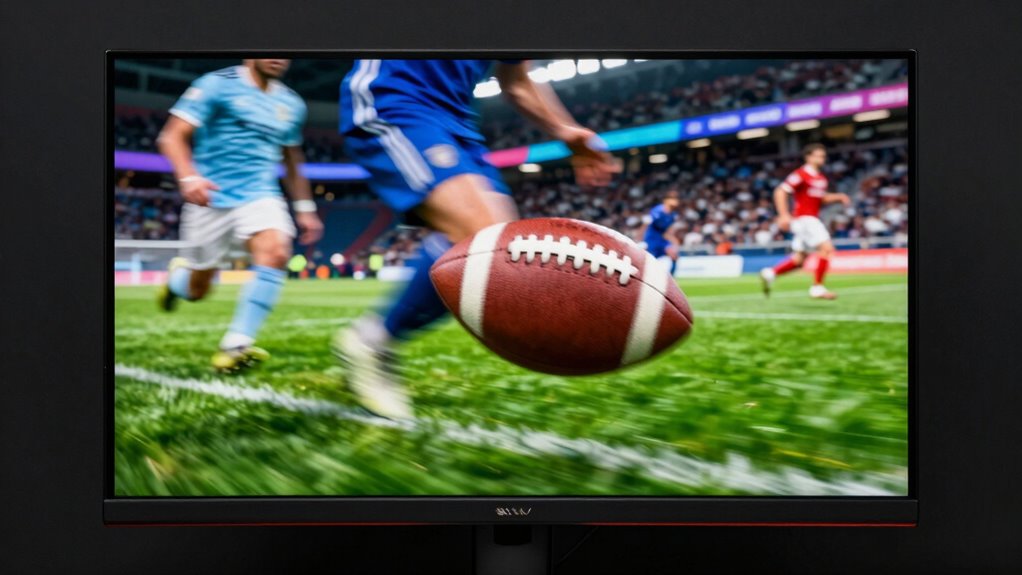
In fast-paced sports, response time and input lag can make the difference between catching a vital moment and missing it entirely. When your TV reacts quickly, you get smoother motion and more accurate color accuracy, making game details clearer. Low response time ensures fast-moving players and balls stay sharp, preventing motion blur. Input lag affects how quickly your commands—like changing camera angles or pausing—are reflected on screen, which is critical during live action. Additionally, audio synchronization enhances your experience, ensuring commentary and crowd sounds match the on-screen events without delay. If response time and input lag are high, you might feel a disconnect, missing key plays or experiencing lag that disrupts immersion. For sports fans, minimizing these factors is essential for a truly engaging viewing experience. Understanding the importance of response time can help you choose the right display for optimal performance.
Tips for Choosing the Best Sports TV Features

Choosing the right sports TV involves more than just looking for a high refresh rate; it’s about finding features that enhance your viewing experience during fast-paced action. Look for a TV with smart features that support sports camera feeds, so you can get closer to the action or see replays from different angles. Consider models that boost fan engagement through interactive apps or social media integration, making you feel part of the game. Picture quality matters too—look for good motion handling and vibrant colors. Additionally, check for customizable sports modes that optimize picture settings automatically. Finally, a TV with multiple HDMI ports allows you to connect streaming devices or sound systems without hassle. These features help you enjoy sports more fully, making every game exciting and immersive. Incorporating a methods-first approach can also ensure you select a reliable device that consistently delivers high-quality viewing experiences. Understanding display technology can further guide you towards a model that offers superior clarity during fast-moving scenes.
Frequently Asked Questions
How Does Screen Size Affect Sports Viewing Quality?
Your screen size impacts sports viewing quality mainly through viewing angles and screen resolution. Larger screens can offer immersive experiences, but if your viewing angles are narrow, you might struggle to see action clearly from different spots. Also, bigger screens often demand higher resolution to avoid pixelation, guaranteeing sharp images. So, choose a size that matches your room and verify it has wide viewing angles and good resolution for the best sports experience.
Do Curved Screens Improve Sports Viewing Experience?
Yes, curved screens can improve your sports viewing experience by creating a more immersive feel. They direct your focus toward the center of the screen and reduce glare from ambient light, making action scenes clearer. This design wraps around your field of vision, enhancing realism and engagement. If you want to feel closer to the game, a curved screen might be just what you need for a more enthralling experience.
What Is the Ideal Viewing Distance for Sports TVS?
Imagine sitting comfortably so you can fully take in the vibrant action on your TV. The ideal distance is about 1.5 to 2.5 times the diagonal screen size, ensuring you enjoy sharp images without straining your eyes. This distance maximizes viewing angles, keeps images clear, and enhances sound quality, making every pass and goal feel like it’s happening right in front of you.
How Do Ambient Lighting Conditions Impact Viewing?
Ambient lighting greatly impacts your sports viewing experience. Too much ambient light can cause glare, washing out the screen and reducing contrast. To enjoy clear, vibrant images, you should minimize ambient light or use curtains and dim lighting. Proper ambient light management helps reduce glare and reflections, ensuring you see every detail clearly. This creates a more immersive experience, especially when watching fast-paced sports where clarity and contrast are essential.
Are OLED Displays Better for Sports Than LCDS?
You’ll find OLED displays paint a more vivid picture for sports, with their perfect black levels and rich colors, making you feel like you’re courtside. While LCDs with high refresh rates provide smoother motion, OLEDs excel in color accuracy and contrast, bringing every play to life. So, if you crave immersive viewing, OLEDs truly shine, turning your sports nights into front-row experiences.
Conclusion
Remember, a high refresh rate alone isn’t enough—you need sharp response times, low input lag, and good broadcast quality. Look for smooth motion, quick reactions, and clear images to truly enjoy the game. Prioritize features that enhance clarity and reduce blur. By focusing on all these aspects, you’ll create a viewing experience that’s seamless, immersive, and enjoyable. In sports viewing, it’s not just about the specs; it’s about the overall experience.