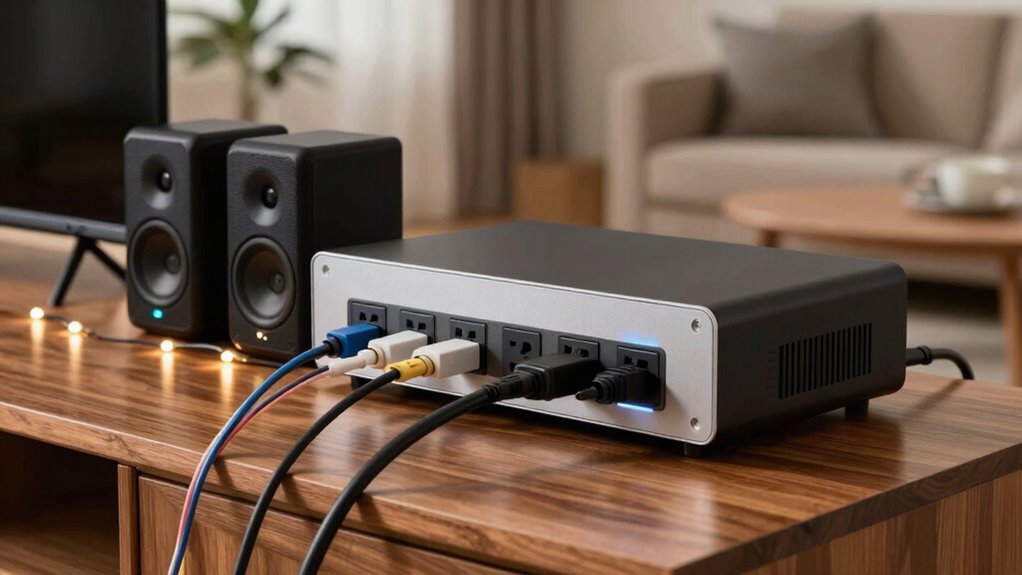

To choose a power station for your TVs, speakers, and lights, first identify their power needs and guarantee the station offers enough capacity to handle your devices, especially during extended use. Check for the right ports—AC, USB, or DC—that match your gadgets and can handle their wattage. Consider portability for outdoor or indoor use, and balance capacity with size. If you want to ensure safe, efficient operation, keep these factors in mind as you explore your options.
Key Takeaways
- Match the power station’s capacity with the total wattage of your TVs, speakers, and lights to ensure proper operation.
- Ensure the station has sufficient and appropriate ports (AC, USB, DC) for all device types simultaneously.
- Consider battery capacity for desired usage duration, balancing weight and portability with runtime needs.
- Check device power requirements and station ratings to prevent overloads and ensure safe indoor use.
- Prioritize portability, ease of recharging, and energy-efficient features for convenient and sustainable operation.

Are you unsure how to choose the right power station for your needs? It can seem overwhelming with so many options, but focusing on a few key aspects can make the decision easier. First, consider your intended devices: TVs, speakers, and lights. These devices have different power requirements, so understanding their power consumption helps you pick a station that fits your needs perfectly.
Start with battery capacity. This is vital because it determines how long your devices can run without needing a recharge. If you want to power your TV and lights for several hours or keep your speakers running during a long outdoor event, you’ll need a power station with a higher capacity. Look for specifications like watt-hours (Wh) to compare models. The higher the watt-hour rating, the longer your devices will stay powered. However, don’t just focus on capacity alone; think about how often you’ll need to recharge and whether portability matters. A larger capacity often means a heavier and bulkier station, so balance capacity with convenience.
Next, consider port selection. Different devices require different types of outlets, so make sure the power station offers the right ones. For your TV, you’ll likely need an AC outlet, while your speakers and lights might operate on USB or DC ports. Check if the station provides enough outlets for all your devices simultaneously. Also, assess the power ratings of each port to ensure they can handle your devices’ wattage. For example, some USB ports might deliver fast charging, which is handy for phones or smaller gadgets, but won’t support larger appliances. Having a variety of ports, including AC, USB-A, USB-C, and DC outputs, offers flexibility, so you’re prepared for different scenarios. Additionally, understanding power requirements can help you avoid overloading your power station and ensure safety during use. Being aware of indoor air quality and ventilation needs can also influence where and how you use your power station indoors, especially if you’re powering devices in enclosed spaces. Considering device compatibility is crucial to ensure your devices operate safely and efficiently with the chosen power station. Furthermore, selecting a station with an energy-efficient design can help extend battery life and reduce overall energy consumption, making your setup more sustainable.
portable power station for outdoor camping
As an affiliate, we earn on qualifying purchases.
As an affiliate, we earn on qualifying purchases.
Frequently Asked Questions
Can a Power Station Be Used While Charging?
Yes, you can use a power station while charging it. Your power station’s battery capacity allows continuous use as it charges via various methods like AC wall outlets, solar panels, or car chargers. Just make certain the charging method matches the power station’s specifications to avoid overloading or damaging the unit. This way, you keep your TVS, speakers, and lights powered seamlessly without interruption.
How Long Does a Power Station Last on Full Charge?
A fully charged power station acts like a dependable battery of life, lasting anywhere from a few hours to over a day, depending on its battery capacity. If you’re powering TVs, speakers, and lights, expect the runtime to vary with your devices’ energy needs. Charging speed matters too; a quick recharge gets you back in action faster. So, plan your usage wisely to maximize the station’s lifespan during your adventures.
Are There Portable Power Stations With Solar Charging Options?
Yes, many portable power stations come with solar charging options. You can find models that are compatible with solar panels, allowing you to harness renewable energy on the go. When choosing, look for solar panel compatibility and consider battery capacity options to match your power needs. This way, you get a reliable, eco-friendly power source that keeps your TVS, speakers, and lights running even off-grid.
What Safety Features Should I Look for in a Power Station?
Prioritize protection by picking a power station with prominent safety features. Look for safety certifications like UL or ETL to guarantee reliable safety standards. You should also consider battery capacity for power longevity and overload protection to prevent damage. Secure shutdown functions and thermal safeguards keep your devices safe from surges and overheating. Staying safe starts with selecting a power station that combines certification, capacity, and clever safety features.
Can Multiple Devices Be Charged Simultaneously?
Yes, you can charge multiple devices simultaneously with most power stations. Look for one with ample battery capacity to handle your devices’ power needs, especially if you’re charging several at once. Also, consider the charging speed—some stations offer rapid charging for multiple devices, saving you time. Make certain the power station has enough outlets and USB ports to accommodate your TVS, speakers, and lights all at once.
Conclusion
In the end, picking the right power station is like finding a reliable friend who always has your back. You want something that fits your needs, is easy to carry, and keeps your TV, speakers, and lights shining bright. By considering your devices’ power demands and understanding your usage, you’ll guarantee your gear stays powered up, just like a steady lighthouse guiding you through the night. Choose wisely, and you’ll never be left in the dark.