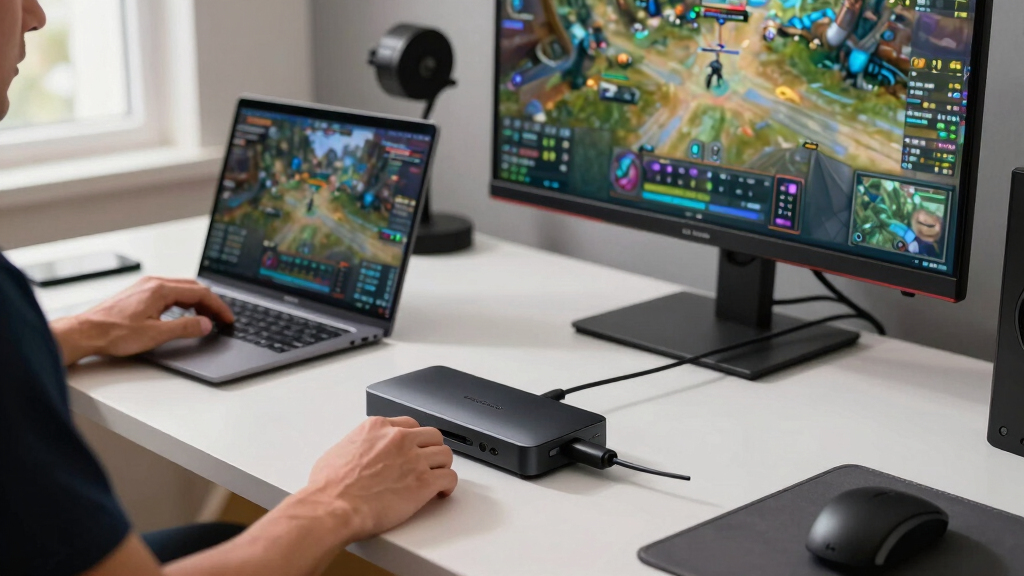

For serious streamers aiming for professional-quality multi platform content, choosing the best premium capture card is essential. The Elgato 4K S stands out as the overall best, offering 4K capture with ultra-low latency and broad device compatibility. The Elgato HD60 X provides excellent 1080p60 HDR streaming, perfect for those prioritizing ease of use and affordability. Meanwhile, the Elgato 4K X excels for ultra-high-resolution needs, supporting 4K144 with minimal delay. Each option involves tradeoffs—higher resolution often means higher cost and more demanding hardware. Keep reading for a detailed breakdown to find the best fit for your streaming setup.
Key Takeaways
- The top contenders offer a range of resolutions from 1080p to 4K, with higher resolutions demanding more powerful hardware.
- Low latency and HDR support are critical for professional-quality streams, but they often increase the price and complexity.
- Compatibility across multiple platforms and devices varies; some capture cards excel with gaming consoles, others with cameras or tablets.
- USB-C connectivity generally offers faster data transfer and more future-proofing compared to USB-A options.
- Price differences are significant; investing in a premium capture card often means better build quality, lower latency, and more features.


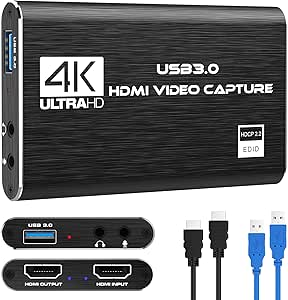

More Details on Our Top Picks
Elgato 4K S – External Capture Card for PS5, Xbox Series X/S, Switch 2, PC, Mac, iPad | 4K60, 1440p120, or 1080p240 Passthrough and Capture, HDR10, VRR, USB-C, Near-Zero Latency
This option stands out for its ability to handle multiple high-resolution formats with near-zero latency, making it ideal for multi-platform streaming. Compared to the Elgato HD60 X, it offers 4K60 passthrough and HDR10 support (Windows only), delivering higher fidelity and more detailed captures. The compact design and USB-C connectivity make it highly portable, while the VRR support ensures smooth gameplay and streaming. However, HDR10 capture is limited to Windows, and it demands a relatively recent system with an Intel Core i5 or Apple M1 chip for optimal performance. This pick makes the most sense for streamers who want maximum flexibility across devices and resolutions without sacrificing quality or latency.
Pros:- Supports 4K60 HDR10 pass-through and capture (Windows only)
- Versatile compatibility with PS5, Xbox Series X/S, Switch 2, Mac, iPad
- Near-zero latency for live gameplay and streaming
Cons:- HDR10 capture limited to Windows, not available on Mac or iPad
- System requirements are relatively high, needing a recent CPU and GPU
Best for: Streamers seeking a multi-platform, high-resolution capture solution with HDR support and minimal latency.
Not ideal for: Users with older systems or those solely working on Mac or iPad who require HDR capture on all platforms.
- Input:HDMI 2.0 (unencrypted)
- Output:HDMI 2.0 passthrough
- Capture Resolutions:2160p60, 1440p120, 1080p240
- Passthrough Resolutions:up to 2160p60
- VRR Support:Yes
- Dimensions:112 x 72 x 18 mm
- Weight:90 g
- System Requirements:Windows 11, macOS 13, iPadOS, Intel Core i5 or M1
Bottom line: Ideal for professionals and enthusiasts who need high-quality, multi-resolution capture with HDR and VRR support across various platforms.
acer USB 3.0 Video Capture Card, HDMI Capture Card for Streaming with 4K Loop-Out & USB A/C | 1080P 60Hz HD | Video Audio Game Capture for PS5/PS4/Switch2/Xbox/Camera/PC/Mac – Black
This pick is well-suited for users who prioritize straightforward, reliable performance at an affordable price. Unlike the Elgato HD60 X, it offers only 1080p60 output, but it compensates with broad device compatibility, supporting PS5, PS4, Switch, Xbox, PC, Mac, and more. Its plug-and-play setup requires no drivers, making it accessible for beginners or those on a budget. The inclusion of mic-in is a plus for commentary, and its compact size makes it portable. The tradeoff is that it doesn’t support 4K capture or HDR, which may limit future-proofing or high-end streaming needs. This makes it a good choice for newcomers or casual streamers who need dependable HD quality without complex features.
Pros:- Supports 1080p60 and 4K loop-out
- Broad device compatibility including PS5, Switch, Xbox, Mac, Windows
- Plug-and-play with no drivers required
Cons:- Limited to 1080p resolution, no HDR support
- No 4K capture or high frame rate beyond 60Hz
Best for: Casual streamers or gamers who want reliable HD capture on multiple devices without breaking the bank.
Not ideal for: Professional content creators seeking 4K or HDR quality or those with high-end streaming setups.
- Input:HDMI
- Output:HDMI, USB 3.0
- Capture Resolution:1080p60
- Loop-Out:4K
- Compatibility:Windows, Mac, Linux
- Size:Small, portable
Bottom line: Best suited for entry-level users who want dependable HD streaming with easy setup across multiple platforms.
Guermok Video Capture Card, 4K USB3.0 HDMI to USB C Capture Card for Streaming, 1080P 60FPS, Compatible with iPad Mac OS Windows, Quest 3, OBS, PS5/4, Switch2/1, Xbox, Camera (Silver)
This capture card offers a solid balance between affordability and compatibility, supporting 4K input and 1080p60 output, making it suitable for a wide range of devices including PS5, Xbox, Switch, and even iPads. Unlike the Elgato HD60 X, it does not support HDR or high frame rates beyond 60FPS, but it provides reliable 1080p performance with low latency. Its aluminum build ensures good heat dissipation, and the wide OS support (Windows, Mac, iPad) makes it versatile. The main tradeoff is that it relies on capture software—it’s not for direct screen sharing—and performance can vary based on system specs. It’s a practical choice for users who want decent quality on a budget for streaming or recording.
Pros:- Supports 1080p60 and input up to 4K@30Hz
- Compatible with Windows, Mac, iPad, Quest 3
- Low-latency USB 3.0 transmission
Cons:- No HDR support or higher frame rate beyond 60FPS
- Requires capture software, not a plug-and-play device
Best for: Budget-conscious streamers or gamers who need broad compatibility and decent 1080p performance.
Not ideal for: High-end streamers or those requiring HDR or 4K recording features.
- Input:HDMI
- Output:USB-C, USB 3.0
- Resolution:1080p60
- Max Input:4K@30Hz
- Compatibility:Windows, macOS, iPad, Quest 3
- Build:Aluminum alloy
Bottom line: A cost-effective choice for users who want broad device support and reliable 1080p streaming without advanced features.
Elgato HD60 X – Stream and Record in 1080p60 HDR10 or 4K30 with Ultra-low Latency on PS5|Pro, PS4|Pro, Xbox Series X/S, Xbox One X|S, Nintendo Switch 2, in OBS and More, Works with PC and Mac
This device excels in delivering high-quality streams with HDR10 support and 4K30 passthrough, making it ideal for streamers wanting crisp visuals and low latency. Compared to the Elgato 4K S, it offers slightly lower maximum resolution but adds support for HDR10, which enhances color and contrast for more vibrant streams. The plug-and-play setup with driverless operation is a boon for beginners, and its compatibility with major platforms like OBS, Twitch, and YouTube makes it versatile. Its main limitation is that HDR capture is only on Windows, and ’system requirements are modest but still need a capable setup. This option is perfect for streamers who want excellent 1080p quality with HDR or occasional 4K pass-through, especially on Windows systems.
Pros:- Supports 1080p60 HDR10 and 4K30 passthrough
- Plug-and-play with driverless setup
- Zero watermarks or time limits
Cons:- HDR capture limited to Windows, not available on Mac
- No 4K recording beyond 30fps, only passthrough
Best for: Streamers prioritizing HDR10 support in a reliable, easy-to-use device for high-quality 1080p or 4K passthrough.
Not ideal for: Mac users who need HDR capture or those requiring 4K60 recording rather than pass-through.
- Input:HDMI
- Output:HDMI pass-through
- Capture Resolutions:2160p30, 1080p60
- HDR Support:Yes (Windows only)
- Dimensions:112 x 72 x 18 mm
- Weight:91 g
- System Requirements:Windows 10, macOS 10.13+
Bottom line: A dependable choice for streamers who want HDR support in a simple, high-quality device for Windows-based streaming setups.
Elgato 4K X – Capture Up to 4K144 with Ultra-Low Latency on PS5|Pro, Xbox Series X|S, Nintendo Switch 2, OBS and More, HDMI 2.1, VRR, HDR10, USB 3.2 Gen 2, for Streaming & Recording, PC|Mac|iPad
This product pushes the boundaries with support for up to 4K144 and 1080p240, perfect for high-end streamers and professional content creation. Unlike the Elgato HD60 X, it leverages HDMI 2.1 and USB 3.2 Gen 2 to deliver ultra-low latency and high frame rates, ensuring gameplay and streaming are perfectly synchronized. The VRR and HDR10 support enable smooth, vibrant visuals without tearing or lag, making it suitable for the latest consoles and high-performance PCs. Its compatibility spans PS5, Xbox Series X/S, Switch 2, and iPads with the latest OS, and it’s ideal for capturing high-fidelity, high-frame-rate content. The tradeoff is that it requires a powerful system and a high-bandwidth USB port, which may limit compatibility with older hardware. This makes it the best choice for those seeking future-proof, ultra-high-resolution, low-latency streaming.
Pros:- Supports 4K144 and 1080p240 with ultra-low latency
- HDMI 2.1, VRR, HDR10 support for smooth, vibrant streams
- Compatible with PS5, Xbox Series X/S, Switch 2, iPads
Cons:- Requires high-spec hardware and a high-bandwidth USB port
- Price is higher compared to lower-res options
Best for: Power users and professionals needing 4K144 capture with ultra-low latency and VRR on the latest hardware and operating systems.
Not ideal for: Casual streamers or users with older systems that cannot support HDMI 2.1 or USB 3.2 Gen 2 bandwidth.
- Input:HDMI 2.1
- Output:HDMI pass-through
- Capture Resolutions:up to 4K144, 1080p240
- VRR Support:Yes
- HDR10:Yes
- Dimensions:112 x 72 x 18 mm
- Weight:91 g
- System Requirements:Windows 10, macOS 11, USB 3.2 Gen 2
Bottom line: Best suited for advanced users seeking the highest resolutions and frame rates with minimal latency and latest tech support.
NearStream 4K HDMI Capture Card, USB 3.0 Video Capture Card for Live Streaming & Gaming, Record in 1080P 60FPS with Ultra-Low Latency, Compatible with PS5, PS4, Xbox, Switch, Windows/Mac/Linux (CCD10)
This capture card stands out for its impressive support of HDMI input up to 4K@60fps, combined with reliable 1080P @60fps recording for streaming and recording. Unlike the Elgato 4K X, it offers broader system compatibility, working seamlessly across Windows, Mac, and Linux without drivers. The built-in 3.5mm audio interface adds convenience for streamers needing integrated voice and audio, making it more versatile than many competitors. However, its 4K passthrough is limited to 60Hz, which could be a drawback for high-refresh-rate gamers. The plug-and-play design simplifies setup, ideal for streamers who want quick, reliable performance without fiddling with drivers. Compared to the 4K HDMI Capture Card USB 3.0, this model emphasizes ultra-low latency, making it better suited for real-time gaming. The main tradeoff is that its 4K passthrough isn’t optimized for high-Hz gaming, but it excels in delivering crisp 1080P streams with minimal delay.
Pros:- Supports HDMI input up to 4K@60fps for future-proofing and high-quality streaming
- Plug-and-play setup on Windows, Mac, and Linux—no drivers needed
- Built-in 3.5mm audio interface for combined audio and voice streaming
- Ultra-low latency pass-through ensures smooth live gameplay
Cons:- Limited 4K pass-through to 60Hz, which may disappoint high-refresh-rate gamers
- No dedicated hardware encoding, relying on CPU performance for recording
Best for: Streamers and content creators who need broad device compatibility and reliable low-latency streaming for multiple platforms.
Not ideal for: High-refresh-rate competitive gamers who require 4K at 120Hz or higher for their gameplay, as this card’s passthrough caps at 60Hz.
- HDMI Input/Output Resolution:up to 4K@60Hz
- Recording Resolution:1080P@60fps
- Compatibility:Windows, Mac, Linux
- Audio Interface:3.5mm microphone/headset
- Latency:Ultra-low latency pass-through
- Connections:USB-C, HDMI
Bottom line: This capture card is perfect for streamers seeking versatility and broad platform compatibility, accepting a minor refresh rate compromise for reliable, high-quality streams.
Capture Card Nintendo Switch, 4K HDMI Video Capture Card, 1080P 60FPS, HDMI to USB 3.0 Capture Card for Streaming Work with Camera/Xbox/PS4/PS5/PC/OBS
This capture card excels in delivering 1080P at 60fps with support for 4K30/60Hz input, making it well-suited for console gamers using PS4, PS5, Xbox, or Nintendo Switch. Unlike the NearStream 4K HDMI Capture Card, it emphasizes straightforward plug-and-play operation, automatically detecting input and output settings without drivers, ideal for beginners. Its HDMI loop-out feature allows for seamless gameplay while streaming, a feature that sets it apart from many budget options. However, the output is limited to 2K30Hz, which might not satisfy streamers aiming for higher refresh rates or resolutions. It also supports microphone input for commentary, but only via 3.5mm TRS, which could be restrictive for some setups. Compared to the 4K HDMI Capture Card USB 3.0, it prioritizes ease of use over ultra-high resolution passthrough, making it best suited for casual or intermediate streamers.
Pros:- Supports 1080P@60fps with 4K30/60Hz HDMI input
- Plug-and-play with automatic detection—no drivers required
- HDMI loop-out allows gameplay while streaming
- Includes microphone input for commentary
Cons:- Output limited to 2K30Hz, restricting high-refresh-rate gameplay
- Does not support 4K120Hz or higher resolutions for output
Best for: Console gamers and streamers seeking an easy-to-use device with reliable performance for standard HD streaming.
Not ideal for: High-end streamers or professionals needing 4K or higher refresh rates for competitive gameplay or cinematic quality.
- Input Resolution:up to 4K@30/60Hz
- Output Resolution:up to 2K@30Hz
- Frame Rate:1080P@60fps
- Compatibility:Windows, Mac
- Audio:3.5mm microphone input
- Features:HDMI loop-out
Bottom line: This capture card offers a straightforward, reliable solution for console gamers and streamers who prioritize ease of setup over ultra-high resolutions.
4K HDMI Capture Card USB 3.0 – 1080P 60FPS Gaming & Streaming Video Capture Card with HDMI Loop-Out, Plug & Play, Low-Latency Recording for PS5/PS4/Xbox/Switch/OBS/PC/Mac
This model is geared toward creators who need high-quality, portable capture options, supporting 4K HDMI input and delivering 1080P at 60fps with minimal delay. Compared with the NearStream, it emphasizes simplicity and mobility, making it perfect for traveling streamers or those with limited desk space. Its plug-and-play design ensures quick setup with no drivers required, compatible with popular streaming software like OBS and Streamlabs. The HDMI loop-out allows for seamless gameplay while streaming or recording. However, its 4K passthrough is limited to 60Hz, which could be a downside for users needing 4K at higher refresh rates. The device lacks advanced features like HDR support, but its compact size makes it an attractive choice for creators on the move. This pick makes the most sense for content creators who value portability over raw high-end features, accepting some limitations in resolution and refresh rate.
Pros:- Supports 4K HDMI input with 1080P@60fps output
- Compact, lightweight, ideal for mobile streaming setups
- Plug-and-play with no driver installation needed
- HDMI loop-out for real-time gameplay viewing
Cons:- Limited to 60Hz pass-through at 4K, not suitable for high-refresh-rate gaming
- Lacks advanced features like HDR or 4K at higher frame rates
Best for: Traveling streamers, content creators who need a lightweight, portable capture device for multiple platforms.
Not ideal for: High-end streamers or gamers requiring 4K at 120Hz or higher, or those seeking advanced color grading features.
- HDMI Input:up to 4K@60Hz
- Output Resolution:1080P@60fps
- Size:Compact, portable
- Compatibility:PC, Mac, OBS, Streamlabs
- Latency:Low-latency
- Connections:USB 3.0, HDMI
Bottom line: This capture card is ideal for creators needing a portable, high-quality device with dependable low-latency performance, accepting some resolution and feature limitations.

How We Picked
These capture cards were evaluated based on performance, build quality, compatibility, and user experience. Priority was given to models supporting high resolutions like 4K, low latency for live streaming, and broad device compatibility including consoles, PCs, and mobile devices. We also considered ease of setup, driver stability, and future-proof features such as HDMI 2.1 support. The ranking reflects a balance between these factors, with higher-end models rewarded for advanced features and reliability while still considering value for the premium price point.Factors to Consider When Choosing Best Premium Capture Card For Multi Platform Streaming
Selecting the best premium capture card for multi platform streaming involves understanding several key factors. While high resolutions and low latency are tempting, they also come with increased hardware demands and costs. Compatibility with your existing devices is essential, and so is considering future-proof features like HDMI 2.1. Ease of use and driver stability can significantly reduce setup frustration, especially for longer streaming sessions. Finally, the investment should align with your streaming goals—whether professional broadcasting or high-quality gaming content.Resolution and Frame Rate
Higher resolutions like 4K provide sharper visuals, which are appealing for professional streams or content that benefits from detailed visuals. However, 4K capture requires a powerful PC, fast storage, and often higher bandwidth. 1080p remains the most common standard, offering excellent quality with less demanding hardware. Frame rate is equally important; 60FPS is generally preferred for smooth gameplay, but some high-end capture cards support up to 144FPS at 4K, ideal for fast-paced gaming or detailed broadcast quality. Consider your hardware and streaming platform when choosing resolution and frame rate to avoid bottlenecks or lag.
Latency and HDR Support
Low latency is vital for live interaction, especially in fast-paced gaming or collaborative streams. Premium cards often boast near-zero latency, but this can vary. HDR support enhances visual fidelity, offering richer colors and contrast, which appeals to viewers but requires compatible hardware and software. Keep in mind that enabling HDR can introduce additional processing load, potentially affecting latency. When choosing a card, weigh the importance of real-time feedback versus visual quality based on your content type.
Compatibility and Connectivity
Most premium cards support multiple platforms, but the specifics matter. For instance, some are optimized for use with PS5, Xbox Series X, or high-end PCs, while others excel with cameras or mobile devices. USB-C ports generally provide faster data transfer and better future compatibility, but USB-A ports are still common and widely supported. Confirm that the card’s outputs (HDMI, SDI, etc.) match your setup, and check for compatibility with streaming software like OBS or Streamlabs. An incompatible or poorly supported device can lead to frustrating setup issues and unreliable streams.
Build Quality and Ease of Use
Premium capture cards should feel solid and durable, with high-quality connectors and stable drivers. Ease of setup is also crucial—plug-and-play models save time and reduce frustration. Some cards include software bundles or hardware switches that streamline operation. Consider models with good customer support and regular firmware updates, as these can extend the lifespan and improve reliability. Avoid overly complex or finicky devices that require extensive configuration, especially if you’re not technically inclined.
Price and Future-Proofing
While premium capture cards come at a higher cost, they often include features that justify the investment, such as 4K support, HDMI 2.1, and HDR. Think about your long-term goals—if you plan to upgrade your streaming setup or switch to higher resolutions, investing in a future-proof model makes sense. However, be wary of paying for features you won’t use immediately, and balance your budget against your needs. Sometimes, a slightly less advanced model still meets current requirements and offers better value.
Frequently Asked Questions
Is a 4K capture card necessary for streaming?
Not necessarily. While a 4K capture card offers higher resolution and future-proofing, most viewers still prefer 1080p streams for smooth playback and lower hardware demands. If your hardware can support 4K encoding and you want the highest quality, then a 4K capture card makes sense. However, for casual or gaming streams, 1080p at 60FPS remains the standard and provides excellent visual quality without requiring the most powerful setup. Consider your target audience and streaming platform when deciding.
How important is HDMI 2.1 support in a premium capture card?
HDMI 2.1 support is beneficial if you plan to capture high-resolution content at high frame rates, such as 4K144 or 8K in the future. It also enables features like VRR and enhanced bandwidth, which reduce lag and improve image quality. However, to take full advantage of HDMI 2.1, your source device, cables, and display must also support these standards. For most current streaming needs, HDMI 2.0 or HDMI 2.1 support is a nice-to-have but not a deal-breaker unless you are aiming for cutting-edge resolutions and features.
Can I use a premium capture card for mobile streaming?
Yes, many premium capture cards are compatible with mobile devices like iPads or Android tablets, especially those with USB-C ports. However, you will need appropriate adapters and software that supports mobile streaming. Keep in mind that high-resolution capture and low latency may be more challenging on mobile hardware, and some devices may struggle with the data transfer demands of premium cards. For seamless mobile streaming, look for models explicitly designed with mobile compatibility in mind.
What is the main tradeoff between 1080p and 4K capture cards?
The primary difference is hardware and bandwidth demand. 4K capture cards deliver sharper images and support future high-resolution content but require a more powerful PC, faster storage, and higher bandwidth. They also tend to be more expensive. 1080p cards are more affordable, easier to set up, and compatible with most existing hardware, making them suitable for many streamers. The choice depends on your streaming goals, hardware capacity, and whether you want to future-proof your setup.
Is a built-in hardware encoder necessary in a premium capture card?
While not strictly necessary, a built-in hardware encoder can significantly reduce CPU load and improve stream stability, especially at higher resolutions and frame rates. It offloads processing from your computer, resulting in smoother performance and less risk of dropouts. Many premium cards include hardware encoding features, making them more reliable and easier to use for professional-quality streaming. If you have a less powerful PC or want the most consistent streams, a capture card with dedicated hardware encoding is highly recommended.