
To size your projector screen for sports, consider your seating distance and aim for a screen size that fits comfortably without causing eye strain or pixelation. Typically, for 10-15 feet away, a 100-120 inch screen works well. Make certain the resolution matches the screen size to keep images sharp, and choose an aspect ratio like 16:9 for proper proportions. If you’d like detailed steps and tips, there’s more to discover below.
Key Takeaways
- Match the screen size to the seating distance, typically 10-15 feet for 100-120 inch screens.
- Ensure the resolution is compatible with the screen size to prevent pixelation and maintain image clarity.
- Use aspect ratio (preferably 16:9) to avoid distortion and black bars during projection.
- Consider viewer comfort; avoid overly large screens at close distances to prevent eye strain.
- Utilize screen size calculators or guidelines to optimize the balance between seating distance and screen dimensions.
Choosing the right projector screen size for sports seating is crucial to guarantee everyone has a clear, immersive view of the action. The first step is understanding how screen resolution and aspect ratio influence your viewing experience. Screen resolution determines the clarity and detail of the image; higher resolutions like 1080p or 4K provide sharper visuals, which are especially important for fast-paced sports where quick movements and fine details matter. When selecting a screen size, consider the resolution of your projector to ensure the image remains crisp and not pixelated. A larger screen with a low-resolution projector will produce a blurry or pixelated image, diminishing the viewing experience.
Choosing the right projector resolution ensures sharp, clear images for an immersive sports viewing experience.
Aspect ratio plays a significant role in how the image fits within the screen dimensions. Most projectors and screens use either a 16:9 or 4:3 aspect ratio, with 16:9 being the standard for HDTVs and modern projectors. This ratio aligns well with sports broadcasts, which are typically produced in widescreen format. When sizing your screen, maintaining the correct aspect ratio ensures the image isn’t stretched or compressed, preventing distortion that can distract viewers or obscure important details. If your projector supports a 16:9 aspect ratio, choosing a screen that matches this ratio will optimize the picture quality and fill the viewing area without black bars or cropping.
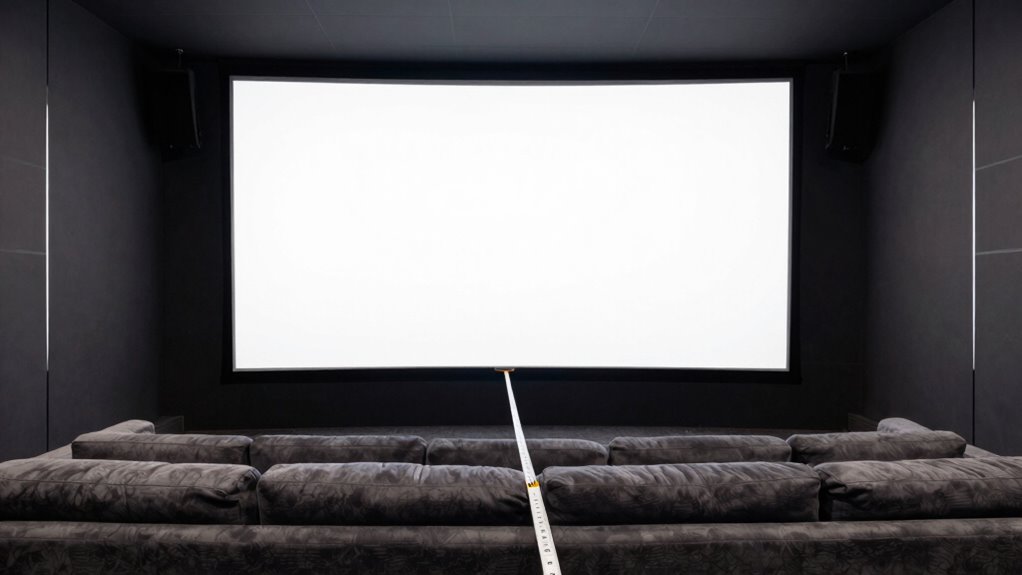
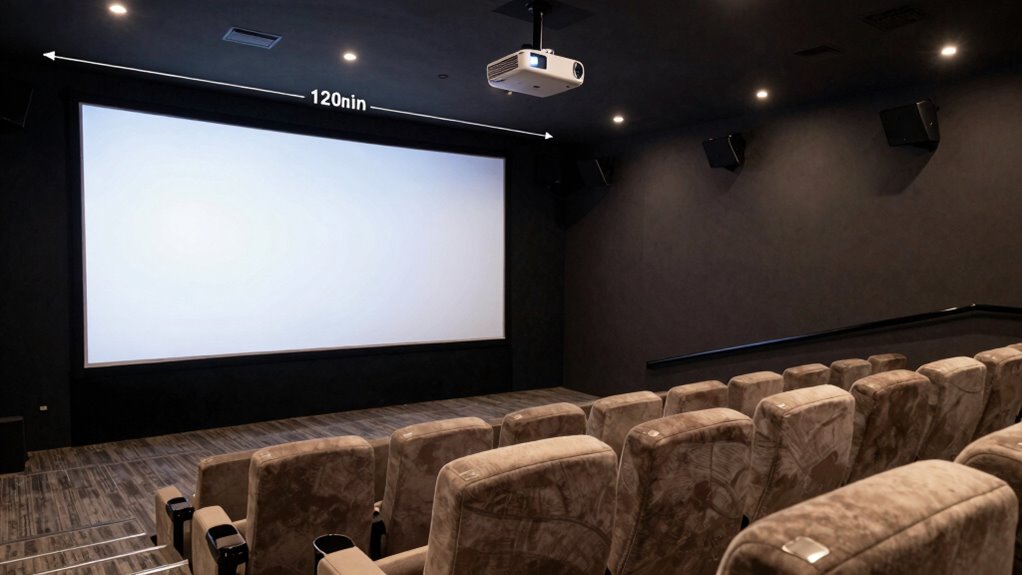
Beyond resolution and aspect ratio, you need to consider the seating distances from the screen. The general rule is that the size of the screen should be proportional to the distance of your seats to achieve an immersive experience. For example, if viewers sit around 10-15 feet away, a screen size of about 100 to 120 inches diagonally often works well. Larger screens can cause viewers at closer distances to strain their eyes or feel overwhelmed, while smaller screens may not deliver the immersive experience you want for watching sports. Use a projector screen calculator or guidelines to match your seating arrangement to the ideal screen size based on your projector’s resolution and aspect ratio. Additionally, understanding the recommended viewing distance helps ensure everyone has a comfortable and optimal experience.
Ultimately, selecting the right projector screen size involves balancing resolution, aspect ratio, and seating distance. Ensuring these elements work together guarantees everyone in your sports viewing area gets a clear, crisp, and engaging picture, making every game or event feel like being right there in the stadium. For best results, always consider screen size recommendations that are tailored to your specific setup and viewing preferences.

Mdbebbron 120 inch Projector Screen 16:9 Foldable Anti-Crease Portable Projector Movies Screens for Home Theater Outdoor Indoor Support Double Sided Projection
- Portable and Lightweight: Foldable design for easy transport
- Versatile Usage: Suitable for home, office, outdoor, and more
- Anti-Crease Material: Made of high-quality polyester fabric
As an affiliate, we earn on qualifying purchases.
As an affiliate, we earn on qualifying purchases.
Frequently Asked Questions
What Is the Ideal Screen Size for Outdoor Sports Events?
For outdoor sports events, the ideal screen size depends on your projection technology and screen material. You should choose a large enough screen so everyone can see clearly, typically around 100-200 inches diagonally. Opt for high-quality projection technology that offers brightness and contrast suitable for outdoor lighting. Use durable, weather-resistant screen material to withstand the elements. This guarantees a vibrant, sharp image that keeps your audience engaged from any seating distance.
How Does Ambient Light Affect Screen Size Selection?
Imagine a sunny day turning your projector into a flashlight—ambient light can wash out your display, demanding a larger screen or higher brightness. You should select a screen size that compensates for ambient light, ensuring the image remains clear. Brightness becomes your best friend here; the more ambient light, the more you need to boost screen brightness or size to keep the action visible and vibrant.
Can a Smaller Screen Improve Viewing for Large Crowds?
Yes, a smaller screen can improve viewing for large crowds by boosting audience engagement and maintaining visual clarity. When the screen isn’t too large, viewers at different distances can see details clearly without straining their eyes. This setup encourages everyone to stay engaged, as the image remains sharp and easy to see. Opting for a slightly smaller screen helps guarantee everyone gets a good view, enhancing the overall viewing experience.
What Are the Safety Considerations for Large Projector Screens?
Safety safeguards safeguard your space, so guarantee sturdy safety barriers surround large projector screens to prevent accidents. Keep emergency exits clear, accessible, and well-marked for swift safety shifts. Secure the screen firmly to prevent falls or damage, and manage crowd control to mitigate chaos. Regularly inspect equipment, and train staff on safety procedures. Prioritizing these precautions helps protect viewers and ensure a seamless, safe sporting viewing experience.
How Does Screen Aspect Ratio Influence Seating Arrangements?
Your screen’s aspect ratio directly influences seating arrangements by determining how much space viewers need for the most effective viewing. A wider aspect ratio offers a more immersive experience, but may require larger viewing angles, which can limit how close seats can be placed. Consider your screen resolution and desired viewing angles to maximize seating, ensuring everyone has a clear view without distortion or discomfort, especially for sports events.
Conclusion
Now that you know how to size your projector screen based on seating distances, you’re all set to create a ideal viewing experience. Remember, it’s better to be safe than sorry—oversizing might lead to a distorted picture, while undersizing can leave viewers straining. Measure twice, cut once, and choose wisely. With the right screen size, everyone will enjoy the game without missing a single play, making your sports setup a home run!