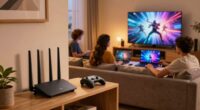
To mount your fan cave TV at the right height, measure from the floor to your eye level when seated comfortably, typically around 42-48 inches. Mark this height on the wall, ensuring the center of the screen aligns with your gaze for comfortable viewing. Use a sturdy mount and locate wall studs for secure installation. Adjust the tilt and angle as needed for the best view. Keep exploring to discover tips for perfect positioning and safety.

Get sports gear delivered free — and shop member deals
- Fast, free delivery on millions of items
- Access to Prime Big Deal Days deals on October 6–7
- Prime Video, Amazon Music and more included
Key Takeaways
- Measure eye level from the floor when seated and mark the wall accordingly for optimal viewing height.
- Mount the TV so the center is approximately at eye level for comfortable, prolonged viewing.
- Use a sturdy, adjustable mount to fine-tune height and angle after installation.
- Ensure the wall can support the TV’s weight, preferably mounting into wall studs.
- Organize cables neatly to prevent clutter and ensure easy access for height adjustments.

Getting the perfect viewing height for your fan cave TV can considerably enhance your watching experience and reduce neck strain. To achieve this, you need to consider how your TV is mounted, especially focusing on mounting brackets and ideal viewing angles. The right mounting brackets are essential because they determine how securely your TV is attached to the wall and how versatile the setup will be. Choose heavy-duty brackets that support your TV’s size and weight to prevent any accidents. Look for models that offer adjustable features, such as tilting or swiveling, which help you customize the viewing angles for maximum comfort.
Choose sturdy, adjustable brackets to securely mount your TV at the perfect, comfortable viewing height.
When positioning your TV, think about your seating arrangement. Ideally, the center of the screen should be at eye level when you’re seated comfortably. This way, you won’t have to tilt your head up or down, which can cause neck strain over time. To find this height, measure the distance from the floor to your eye level when seated, then mark that spot on the wall. Mounting your TV slightly above or below this point can still work, but avoid mounting it too high, as you’ll need to crane your neck to watch, leading to discomfort during long viewing sessions.
The viewing angles are equally critical. Your TV should be mounted in a position that allows for a direct, head-on view from your seating area. If your TV is too high or too low, you’ll experience distorted images or glare, which can diminish your viewing pleasure. Using adjustable mounting brackets can help fine-tune the angle, especially if you have multiple seating positions or if your room layout changes over time. Tilt-and-swivel mounts give you the flexibility to adjust the screen to the perfect angle, ensuring everyone in your fan cave gets a clear view without straining their neck or eyes. Additionally, understanding wall support and load capacity is crucial to ensure your setup remains safe and secure. Checking your wall’s load capacity before installation can prevent accidents and damage. It’s also a good idea to consider wall reinforcement if your wall material isn’t naturally capable of supporting heavy loads.
It’s also helpful to consider cable management options to keep wires organized and prevent tripping hazards or clutter behind your mounted TV. Remember to double-check that your wall can support the weight of the TV and mounting hardware. Use a stud finder to locate sturdy wall studs, and secure your mounting brackets directly into them for maximum stability. Ensuring you have properly wall anchors can provide additional support if mounting into drywall alone. Once mounted, sit back and evaluate the setup from your typical viewing position. Make small adjustments to the tilt or angle if necessary, ensuring your TV is at the right height and provides ideal viewing angles. This careful setup will make your fan cave the ultimate spot for watching games, movies, or shows in comfort and style.
TV wall mount bracket adjustable tilt
As an affiliate, we earn on qualifying purchases.
As an affiliate, we earn on qualifying purchases.
Frequently Asked Questions
What Tools Are Needed for Mounting the TV?
To mount your fan cave TV, you’ll need a drill, stud finder, level, screwdriver, and possibly a socket wrench. Use the stud finder to locate wall studs for wall reinforcement, making sure your mount is secure. Cable management clips help keep cords organized and hidden. A level ensures the TV hangs straight, preventing wobbling. These tools make the installation safer and cleaner, giving you a perfect viewing setup.
How Do I Hide the TV Cables Effectively?
Think of your cables as unruly vines needing a gentle guide. To hide your TV cables effectively, use cable management solutions like raceways, cord covers, or fabric sleeves. Concealed wiring keeps everything tidy, making your setup look sleek and professional. Attach the covers along the wall, running them neatly from the TV to power outlets. This way, your entertainment area stays clutter-free, and cables vanish like magic.
What Safety Precautions Should I Take During Installation?
During installation, you should prioritize safety by securing ceiling brackets and wall anchors properly. Always wear safety goggles and gloves to protect yourself from debris. Double-check that ceiling brackets are rated for your TV’s weight and firmly anchored into studs or appropriate wall anchors. Use a level to guarantee precise mounting, and have a helper assist you. This approach minimizes risks and ensures a secure, safe setup for your fan cave TV.
Can I Mount the TV on a Drywall Without Studs?
Mounting a TV on drywall without studs is like building a house on shaky ground. You shouldn’t rely solely on drywall anchors, as they lack wall reinforcement for heavy TVs. Instead, consider alternative mounting options like using toggle bolts or installing a mounting bracket into a ceiling joist or wall stud. These methods provide the necessary support, ensuring your TV stays secure and safe without risking damage or accidents.
How Do I Adjust the Viewing Angle After Mounting?
To adjust the viewing angle after mounting, use a wall mount with tilt adjustment features. Loosen the tilt screws slightly, then gently tilt the TV to your preferred angle. Once satisfied, tighten the screws securely to lock in the position. This allows you to customize your viewing experience, reduce glare, and prevent neck strain, ensuring ideal comfort during movie nights or gaming sessions.
Conclusion
So, next time you’re mounting your fan cave TV, remember that the right height isn’t just a matter of eye level. Some say the ideal spot minimizes neck strain and maximizes viewership, but studies suggest it’s more about personal comfort and your space’s unique setup. Don’t just follow a rule—test different heights and see what feels best. After all, your fan cave should be a haven, not a headache.
Fall Picks
fall essentials
As an affiliate, we earn on qualifying purchases.