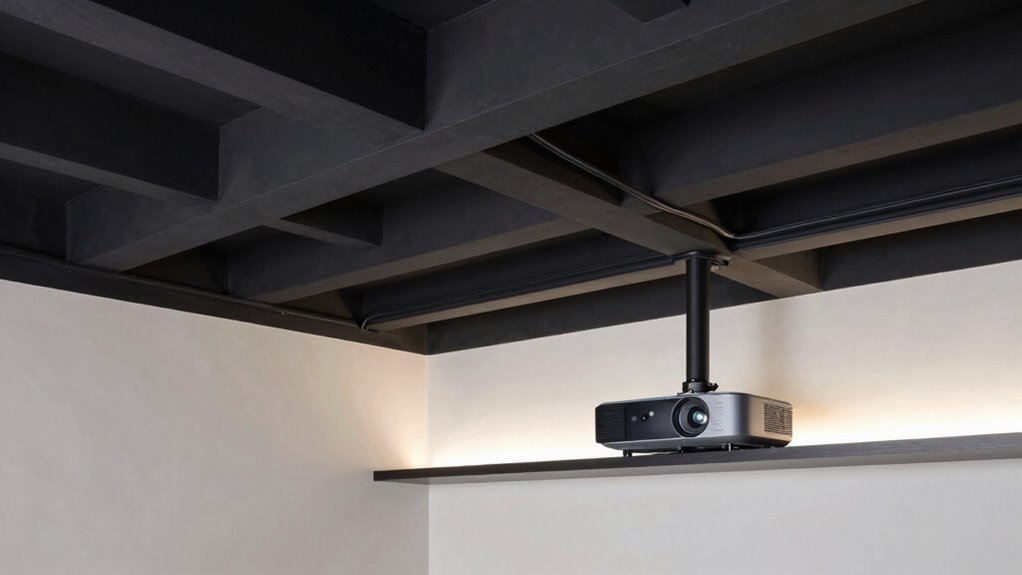

To hide projector cables in your fan cave, plan your cable routes carefully using conduits or in-wall cable management kits to keep wires out of sight. Mount the projector close to outlets to minimize cable length, and consider running cables through walls or ceilings using raceways that match your wall color for a seamless look. Use clips, straps, or sleeves to organize and secure cables, and combine wireless streaming to reduce clutter. Keep exploring for more tips on achieving a sleek, tidy setup.

Get sports gear delivered free — and shop member deals
- Fast, free delivery on millions of items
- Access to Prime Big Deal Days deals on October 6–7
- Prime Video, Amazon Music and more included
Key Takeaways
- Plan optimal cable routes through walls or ceilings using conduits or in-wall cable management kits for a seamless look.
- Conceal cables behind wall panels or within dedicated in-wall channels to keep the fan cave tidy.
- Use cable raceways or cord covers painted to match the wall color for discreet temporary or rental setups.
- Position media devices close to the projector, and secure cables with clips or Velcro straps to prevent clutter.
- Incorporate wireless streaming devices to reduce physical cables and maintain a clean, streamlined environment.

If you want your home theater setup to look sleek and clutter-free, hiding projector cables is essential. No matter how impressive your screen and sound system are, tangled cables can ruin the aesthetic. Luckily, there are straightforward ways to keep your space tidy while maintaining peak performance. With the rise of wireless streaming options, you can reduce the number of cables needed for your projector, making cable management even easier. Wireless streaming allows you to connect devices without physical cords, minimizing clutter and simplifying setup. However, for essential connections like power and HDMI, smart cable management techniques help keep everything organized and discreet.
Start by planning your cable routes before installing anything. Determine the best path from your projector to power outlets and media sources. Use the walls and ceiling to your advantage, running cables through conduits or behind wall panels if possible. This keeps cables hidden from sight and prevents accidental tugging or damage. If your walls aren’t pre-wired, consider investing in in-wall cable management kits. These kits allow you to conceal cables inside the walls, creating a clean, professional look. For temporary setups or rental spaces, cable raceways or cord covers can be painted to match your wall color, blending seamlessly into your decor. Additionally, exploring cable concealment options can help you find innovative ways to hide cords in tight or unconventional spaces. Employing wire organization tools like cable sleeves or spiral wraps can further streamline your setup and protect your cords from wear. Incorporating proper planning can also prevent clutter and make future upgrades easier.
Plan cable routes carefully and hide them behind walls or using raceways for a clean, professional look.
In addition to physical concealment, consider the placement of your devices. Position your media components close to the projector to minimize cable length. Use cable clips or Velcro straps to bundle cords neatly and prevent them from hanging loosely. When dealing with multiple cables, labeling them helps you quickly identify connections in the future, saving time during maintenance or upgrades. Incorporating wireless device integration can further reduce clutter and streamline your setup.
If your projector supports wireless streaming, take advantage of this feature to cut down on cables altogether. Devices like Chromecast, Roku, or Apple TV let you stream content directly without connecting via long HDMI cables. This not only simplifies cable management but also gives you more flexibility in device placement. For wired connections that are unavoidable, opt for high-quality, flat HDMI cables. These are less obtrusive and can be tucked behind furniture or along baseboards with minimal visibility.
Ultimately, a combination of wireless streaming, smart cable management, and strategic device placement will give your fan cave a sleek, clutter-free appearance. Keeping cables out of sight enhances the overall look and feel of your setup, making your home theater experience even more immersive. With a little planning and the right tools, you can enjoy a clean, professional-looking space that’s as functional as it is stylish.
in-wall cable management kit for projector
As an affiliate, we earn on qualifying purchases.
As an affiliate, we earn on qualifying purchases.
Frequently Asked Questions
Can I Hide Cables Without Drilling Into Walls?
Yes, you can hide cables without drilling into walls by using cable management solutions like adhesive cable clips, raceways, or flexible conduit. These options allow you to achieve wall concealment and keep your space tidy without damaging surfaces. You simply attach the clips or raceways along edges or corners, directing cables neatly out of sight. This method maintains a clean look while avoiding wall damage, making your fan cave more organized and visually appealing.
What Materials Are Best for Cable Concealment?
Imagine giving your cables a stylish cloak—your best bet is flexible conduit or raceways, which seamlessly blend into your space. Cable management and concealment solutions like cable sleeves or cord covers work wonders, keeping things tidy without sacrificing style. Use adhesive-backed options for easy installation, and consider paintable materials to match your wall or ceiling color, turning cables into almost invisible features in your fan cave.
How Do I Prevent Cable Overheating Behind Panels?
To prevent cable overheating behind panels, guarantee proper heat dissipation by allowing airflow around the cables. Use cables with good insulation to reduce heat buildup, and avoid bundling multiple cables tightly together. Installing small vents or gaps in the panels promotes air circulation, helping to keep temperatures down. Regularly check for signs of heat stress, and consider using fans or cooling devices if necessary to maintain safe operating temperatures.
Are Wireless Options Viable for Projector Setup?
Wireless connectivity makes your projector setup feel like a sci-fi dream, with no cables tangling or clutter. Yes, wireless options are viable, especially with strong signals and reliable streaming devices. You can also use a power extension cord to keep the projector powered without messy wiring. Just guarantee your wireless connection is stable to avoid interruptions, and use a power extension for seamless placement. It’s like magic!
How Often Should I Check Hidden Cables for Damage?
You should check your hidden cables for damage at least once every six months. During damage inspections, look for compromised cable insulation, fraying, or any signs of wear that could cause issues. Regular inspections help prevent potential hazards and guarantee your setup stays safe and functional. If you notice any damage, replace or repair the affected cable immediately to maintain a clean, safe, and reliable fan cave build.
Conclusion
Hiding projector cables can transform your fan cave into a sleek, clutter-free space, much like a magician pulling a rabbit out of a hat. By using simple solutions like cable clips, conduits, or furniture concealment, you’ll create a clean look that’s both functional and impressive. Once you’ve hidden those cables, your setup will feel as smooth as a well-oiled machine, making movie nights more immersive and your space more enjoyable.
NFL season / tailgating Picks
team gear
As an affiliate, we earn on qualifying purchases.