To tune your soundbar for clear play-by-play voices, start by setting it to surround sound mode or a preset designed for dialogue, which helps make voices more natural and less muffled. Adjust the bass and equalizer controls to reduce heavy bass that can drown out speech, and emphasize mid-range frequencies for clarity. Position your soundbar directly below or in front of the TV, at ear level, and consider room acoustics to minimize echo. Keep experimenting, and you’ll find the ideal setup for crisp, intelligible commentary.
Key Takeaways
- Enable surround sound mode and select presets optimized for voice clarity or sports broadcasts.
- Reduce bass boost and adjust the equalizer to emphasize mid-range frequencies for clearer dialogue.
- Position the soundbar directly below or in front of the TV at ear level for better voice projection.
- Fine-tune equalizer settings to enhance dialogue and minimize background noise or echo.
- Test with familiar broadcasts and make incremental adjustments to optimize voice intelligibility.
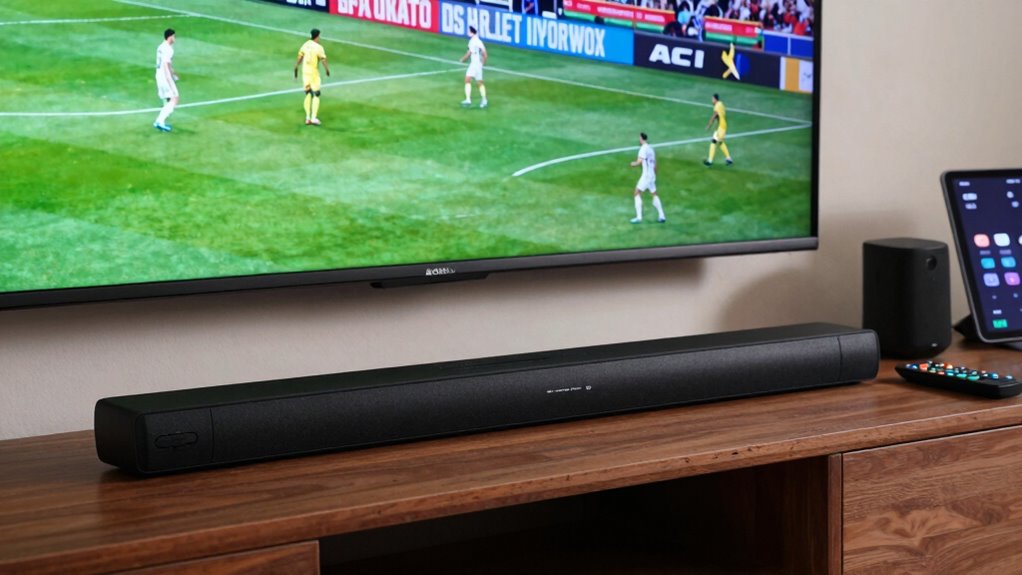
When watching sports or live broadcasts, clear and distinct play-by-play voices are essential for an immersive experience. Your soundbar plays a vital role in delivering those voices with clarity, especially when the action unfolds rapidly or the commentary is fast-paced. To optimize your soundbar for clear voices, you need to focus on tuning it properly, paying close attention to surround sound settings and bass enhancement. These adjustments can make a significant difference in how well you hear and understand every word coming from the commentators.
Start by setting your soundbar to the surround sound mode if it has one. This mode helps distribute audio more evenly across the room, creating a more immersive environment. When voices are routed through a surround sound setting, they tend to feel more natural and less muffled, so you catch every word without straining. Be sure to test different presets if available, as some soundbars offer specific modes designed for sports or voice clarity. These modes often emphasize dialogue and reduce background noise, making it easier to focus on the commentary.
Use surround sound mode and presets to enhance voice clarity and reduce background noise during broadcasts.
Next, pay attention to bass enhancement settings. While deep bass is great for action scenes or music, it can sometimes drown out speech, especially if the low frequencies overpower the mid-range frequencies where voices primarily sit. Turn down or disable heavy bass boost during sports broadcasts to prevent voices from getting lost in the mix. Instead, aim for a balanced sound profile where dialogue remains crisp and intelligible. Some soundbars have dedicated equalizer controls, allowing you to fine-tune the mid-range and treble to enhance voice clarity further. Additionally, understanding the importance of binaural audio can help you optimize your listening experience for clarity and spatial awareness. Proper placement of the soundbar can also significantly influence audio clarity, as positioning closer to ear level can improve the intelligibility of voices. Taking into account the room acoustics can further refine the sound quality and reduce echo or reverberation that may muddle speech.
Finally, experiment with placement. Position your soundbar directly below or in front of your TV, and ensure it’s not obstructed. Proper placement can improve sound projection and clarity, especially for voices. When adjusting the position, consider the room acoustics and how sound reflects off walls for optimal audio quality. After making these adjustments, test with a familiar broadcast, paying attention to whether the voices sound natural and clear. Fine-tuning your soundbar for play-by-play voices might take a few tries, but the result is an immersive, crystal-clear experience that keeps you fully engaged with every game or broadcast.
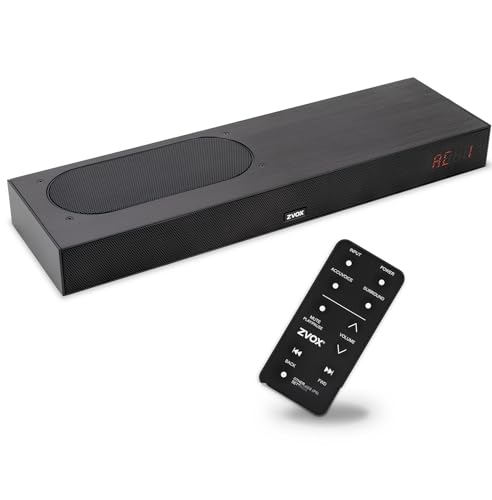
ZVOX AccuVoice AV835 Dialogue Clarifying Soundbar – Patented Hearing Technology with 20 Levels of Voice Boost, Dual Woofers, Low-Profile TV Speaker for Home Theater and Smart TV – Black
- Clear Dialogue Technology: Enhances voices, reduces background noise
- 20 Voice Clarity Settings: Customize for optimal dialogue clarity
- Rich Bass Performance: Dual woofers deliver deep, balanced sound
As an affiliate, we earn on qualifying purchases.
As an affiliate, we earn on qualifying purchases.
Frequently Asked Questions
Can I Use My Tv’s Built-In Equalizer for Voice Tuning?
Yes, you can use your TV’s built-in equalizer for voice tuning, but it might not be the best option. Audio presets can help enhance sound for dialogues, while frequency adjustment allows you to improve voice clarity. Experiment with different presets and tweak the midrange frequencies to make play-by-play voices clearer. Keep in mind, dedicated soundbar settings or external equalizers often give more precise control for ideal voice clarity.
Do Soundbars Have Specific Settings for Sports Broadcasts?
Soundbars often have specific settings for sports broadcasts, helping you hear play-by-play voices clearly. To optimize sound, consider soundbar placement—place it centrally and at ear level for the best audio. Use surround sound options if available to create an immersive experience, making voices stand out during sports. Adjust equalizer settings if possible, focusing on clarity for announcers, so you catch every detail without missing the excitement.
How Does Room Acoustics Affect Voice Clarity in Soundbars?
Room acoustics considerably impact voice clarity in soundbars. Room reflections can cause echoes, muddling speech, while furniture interference blocks sound, reducing clarity. To improve voice clarity, position your soundbar away from reflective surfaces and large furniture. Adding soft furnishings like curtains or rugs helps absorb excess reflections. Adjusting sound settings to emphasize dialogue can also make voices clearer, ensuring you catch every play-by-play detail during broadcasts.
Is External Calibration Necessary for Optimal Voice Performance?
External calibration isn’t always necessary, but it can be your secret weapon for perfect voice clarity. Think of it as fine-tuning a musical instrument—adjusting speaker placement and balancing ambient noise guarantees play-by-play voices cut through like a conductor’s baton. If your setup has uneven sound or ambient noise drowns out commentary, calibration can help your soundbar hit every note clearly, turning your viewing into a front-row experience.
Can I Customize Voice Tuning for Different Sports Channels?
Yes, you can customize voice tuning for different sports channels by using channel-specific settings. Many soundbars allow you to adjust voice customization independently for each input or channel, ensuring clarity for play-by-play voices across various broadcasts. Simply access your soundbar’s audio settings, create or modify profiles for different channels, and fine-tune the voice parameters. This way, you enjoy clear, crisp commentary no matter what sport you’re watching.
Conclusion
Tuning your soundbar for clear play-by-play voices transforms your viewing experience into a front-row seat at the game. By adjusting settings like dialogue mode and equalizer, you’ll hear every cheer, gasp, and commentator’s word with crystal clarity. Think of it as turning your living room into a stadium—where every voice rings out louder than a thunderclap! Keep experimenting until the voices cut through the noise like a lighthouse guiding ships through a storm.