TL;DR

Get sports gear delivered free with Prime
- Fast, free delivery on millions of items
- Prime Video, Amazon Music and more included
- Member-only deals all year
For daytime sports in a sunlit room, start by comparing Mini-LED LCD TVs for sustained brightness, reflection handling, and local dimming. A 120 Hz panel can help motion look smooth, but broadcast quality and processing matter too; if a window reflects on the screen, placement and blinds may help more than extra brightness. Consider the Samsung QN90F or Hisense U8QG for a bright-room LCD approach, and the Samsung S95F OLED if your light is more controlled and wide viewing angles matter.
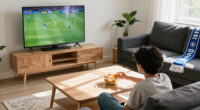
A soccer ball can vanish into a white glare patch just as it reaches the penalty area. In a bright room, that moment may have less to do with the broadcast and more to do with sunlight reflecting off your TV. More brightness can help, but it cannot always overpower a window mirrored in the screen.
If you’re replacing an older or hard-to-find model, this guide will help you choose a bright room TV for daytime sports by weighing steady brightness, reflection handling, motion, seating, and sound. It also explains how four current alternatives fit different rooms, including a sunny open-plan space and a living room where people watch from the sides.
You’ll get a practical comparison and a setup checklist you can use before buying. The goal is simple: see the ball, read the scoreboard, and hear the commentary without turning every match into a battle with your curtains.
Compare sustained or full-screen brightness and reflection handling; a peak-brightness claim alone does not predict daytime visibility.
Mini-LED LCD TVs are a strong starting category for sunlit rooms, while OLED may suit controlled light, deep contrast, and wide seating.
A 120 Hz panel can help motion, but processing quality, broadcast frame rate, and smoothing settings shape what you see.
Match screen size to actual viewing distance and side seats: the 55-inch U7, 65-inch choices, and 75-inch U8QG fit different rooms.
Check glare during your usual viewing hour, then adjust blinds, picture mode, motion, and sound with a real broadcast.
Start with sustained brightness and reflection control
The best bright room TV for daytime sports has enough sustained brightness to keep the picture visible and handles reflections well enough that sunlight does not cover the action. Compare those traits together: brightness helps the image push through ambient light, while reflection control limits the distracting bright shapes on the screen.
A peak-brightness number can be misleading because it often measures a brief flash on a small area. A soccer pitch fills much of the screen with green, while a hockey rink or a sunlit court can create broad, pale areas; full-screen or sustained brightness gives you a better idea of how the TV may cope. Independent measurements and reviews that describe reflection performance can add useful context [1].
Picture a TV opposite a south-facing window. At noon, the room may cast a bright rectangle across the midfield, even on a powerful set. Moving the TV to a side wall, closing sheer blinds, or shifting a lamp can make a bigger difference than chasing another brightness claim. That’s why the most important factors start with both the TV and the room.
Mini-LED LCD models are often a sensible starting point for bright spaces because their many small backlights and local dimming can deliver strong brightness alongside better contrast than a conventional LCD. Bright objects can still create a faint halo, known as blooming. OLED offers excellent contrast, but some LCD and Mini-LED sets can be easier to see under strong daylight [1].
Key point: A brighter TV cannot erase a window reflected directly in the screen. Check where the light lands before treating brightness as the only fix.
Try this at home: turn on the TV during the hour you usually watch, then look for reflections from your windows and lamps. A dark screen makes them especially easy to spot. That quick check tells you whether your main problem is a dim picture, direct glare, or both.
Products Worth Considering

Therabody Theragun Mini 3rd Generation Massage Gun, Black

Therabody ThermBack LED 4-in-1 Heated Lower Back Relief Wrap

GoPro Fluid Pro AI 3-Axis Gimbal Stabilizer
As an affiliate, we earn on qualifying purchases.
Compare four replacement options by room and viewing style
For a bright room, compare each candidate by room fit, display type, seating, and viewing habits. The alternatives below occupy different categories, so the useful question is which one suits your room rather than which one matches every feature of an older set. No shared specifications are provided here for a direct spec-for-spec comparison.
| TV | Display approach | Room or viewer it may suit | What to check |
|---|---|---|---|
| Samsung 65-Inch Neo QLED QN90F (2025) | Mini-LED LCD | A bright room where daylight visibility is a priority | Reflection handling, seating angles, and picture modes |
| Hisense 55-inch U7 Mini-LED ULED Fire TV (2026) | Mini-LED LCD | A smaller seating area or a room where 55 inches fits better | Actual viewing distance, glare, and motion settings |
| Samsung 65-Inch OLED S95F (2025) | OLED | Viewers who value contrast and a broad seating arrangement | Daylight visibility in your room and reflection performance |
| Hisense 75-inch U8 Series ULED Mini-LED Google TV (75U8QG) | Mini-LED LCD | A larger room or farther seating where a bigger image helps | Whether the screen fits the wall and viewing angles |
For example, a 65-inch QN90F may make sense if your main challenge is daytime visibility in a bright family room. If the couch is farther back, the 75-inch U8QG may make the score and ball easier to follow, assuming the screen fits the room. In a space with seats spread across a wide sectional, compare how each candidate looks from the sides rather than deciding from the center cushion.
The S95F is an OLED option for someone who values contrast and shared viewing. OLED’s dark areas can look rich, like ink beside vivid team colors, while Mini-LED can be a strong fit when the room itself is very bright. That category-level distinction is useful, but it does not substitute for checking model-specific measurements and real-room behavior [1].
The 55-inch U7 offers another Mini-LED choice when a large screen would dominate a smaller room. Don’t assume a bigger diagonal automatically improves the experience: if you sit close, a 75-inch screen may feel overwhelming, and if the TV is placed off to one side, everyone may get an awkward angle. Match the screen to the seats you actually use.
Use 120 Hz as a useful target, not a guarantee
A 120 Hz panel is a useful feature for sports because it can display motion more smoothly, but it does not guarantee a clean picture. The source broadcast, the TV’s processing, and your motion settings all affect how a fast pan or flying ball looks. Broadcast sports commonly arrive at lower frame rates than 120 Hz [1].
Suppose you’re watching a football match and the camera sweeps across the field. A capable TV can present that movement with less blur, but aggressive interpolation may invent frames and leave players looking oddly slick or create artifacts around the ball. Some viewers like a little smoothing; others prefer the more natural look with it reduced. Use a live match, not just a store demo, to decide.
Look for a combination of panel refresh rate and good motion processing. A high refresh-rate label alone says little about the quality of the final image. You may also see HDMI 2.1 listed; it is useful if you connect a newer console or another high-frame-rate source, though it is not a requirement for ordinary TV broadcasts [1].
Sports mode can raise brightness and make the picture look punchier, which may help under daytime light. It can also push grass toward neon green or make skin tones look too warm. Try it, then compare it with a standard or filmmaker-style mode while the sun is in the room. Your eyes should be able to follow the play without the pitch looking painted.
Remember the tradeoff: brighter modes can help the picture stand out, but a bright screen that reflects a window still shows the window. Start with reflection control and then tune motion and color. For a Sunday afternoon match, small adjustments—turning down smoothing or shifting a lamp—can be more pleasant than leaving the TV in an exaggerated sports preset all season.
Choose screen size from your seats, not the product label
The right screen size is the one that lets everyone follow the action comfortably from their usual seats. A larger display can make a distant scoreboard and quick movement easier to see, but room layout, viewing distance, and off-center picture quality matter as much as diagonal inches [1].
Imagine a family watching from a deep sofa eight or nine feet from the wall. A 75-inch option may make the players more visible across the room than a 55-inch set. In a compact apartment where the main chair sits much closer, that same large screen could dominate the wall and force the viewer to scan across it during quick play.
Measure the distance from the screen to the seats you use, then consider the widest seating position. If a friend watches from a chair near the dining table, sit there and check whether the picture loses brightness or color. Some high-contrast LCD panels look best straight on, so a TV that looks excellent from the middle of the couch may disappoint someone several seats away [1].
That makes the four alternatives useful in different ways. The 55-inch U7 may suit a tighter room; the 65-inch Samsung options fit a common family-room scale; and the 75-inch U8QG may serve a larger room with farther seating. Those are starting points, not universal rules. Sketch the wall, account for windows and furniture, and make sure the screen does not sit where a lamp or window appears in the middle of the field.
Also check mounting height. If the TV sits high above a fireplace, the people below may see the picture from a steep angle. During a long game, neck comfort matters. A slightly smaller screen at a comfortable height can beat a giant one that makes you lean back and crane your head to follow the ball.
Set up the TV so the afternoon sun stops stealing the game
You can improve daytime sports viewing by checking glare first, choosing a picture mode second, and adjusting motion only after the screen is in a sensible place. This order matters because a bright setting will not fix a reflected window, while motion tweaks cannot make washed-out colors look natural. Use this five-step setup as a starting point.
- Watch at your usual match time. Note whether sunlight hits the panel directly or creates a bright reflection from a window.
- Change the light path. Try blinds, curtains, a lamp moved behind the seating area, or a different TV position.
- Compare picture modes. Test Sports and a standard mode with real broadcast content; watch for unnatural grass and skin tones.
- Adjust motion gradually. Lower smoothing if players look artificial or if the ball leaves trails and odd edges.
- Check every seat and the sound. Ask someone to watch from the side couch, then listen for clear commentary over room noise.
For instance, if you watch baseball in a room with a bright patio door, close the blinds halfway before raising brightness to its highest setting. You may keep the room pleasant while reducing the reflection on the pitcher’s mound. The right setup helps keep the picture visible in the real conditions where you watch, not just in a dim store.
Sound belongs in the setup too. If conversation, a kitchen fan, or kids playing drown out commentary, built-in speakers may not be enough. A soundbar can make voices easier to pick out in a noisy room, but first try a dialogue or voice setting if your TV offers one. Clear commentary often makes a match easier to follow than louder crowd noise.
Repeat the check on a cloudy day and after dark. A picture that looks balanced at noon may seem harsh at night. Save separate settings if your TV allows it, or lower brightness before evening viewing. Small changes help the same screen work through changing light instead of making you squint at every kickoff.
Know when OLED, QLED, or HDR should influence your choice
For daytime sports, judge the specific TV’s brightness and reflection handling rather than choosing from a technology label alone. OLED, QLED, and Mini-LED describe different aspects of a display, and none of those names by itself tells you exactly how clearly the picture will show in your room.
OLED creates its image with pixels that light individually, which supports deep blacks and wide viewing angles. That can be appealing when several people spread along a sectional watch together. OLED brightness has improved, but in a room with strong daylight, some LCD and Mini-LED models may be easier to see [1]. Ordinary varied viewing differs from leaving fixed graphics on screen for long periods; prolonged static content is the situation associated with OLED burn-in risk.
QLED generally means an LCD TV with quantum-dot color technology. It does not automatically mean Mini-LED backlighting, unusually high brightness, or effective anti-glare treatment [1]. So if a product name says QLED, check its actual backlight type and independent performance information. A label can tell you the broad category, but not whether a reflection from your picture window will be distracting.
HDR can make supported content look vivid, with brighter highlights and more contrast. Yet many sports broadcasts are SDR, and HDR support varies by service, event, and region [1]. For your regular live games, steady brightness, reflections, and processing usually deserve more attention than a badge promising an HDR format.
Say you mostly watch daytime tennis through a streaming service that delivers SDR. A TV with strong reflection control and clear motion may serve you better than a set whose headline feature is HDR. If you also watch films at night, contrast may carry more weight. Your viewing mix changes the answer, so write down what you watch most before comparing specifications.
Make a short checklist before you replace your TV
Before you choose a replacement, write down when you watch, where the light comes from, how far away you sit, and who shares the room. Those four details narrow the field faster than comparing every acronym on a product page. They also stop a common mistake: buying for a bright showroom when your real challenge is a window behind the sofa.
Try this quick scenario. You watch weekend football at noon, sit nine feet away, and your partner watches from the end of a sectional. You’ll want to compare Mini-LED brightness and reflection performance, consider a screen size that works at that distance, and check picture quality from the side seat. If your room has adjustable blinds, you have more flexibility than someone with direct sun and no window coverings.
- Room light: Does the sun hit the screen, or do you mainly have diffuse daylight?
- Screen reflections: Can you see a window or lamp in the panel during a typical game?
- Viewing seats: Do people sit straight on, or spread across a wide room?
- Sports source: Do you watch cable, broadcast TV, streaming, or a connected console?
- Room sound: Can you hear commentary clearly over conversation and appliances?
Then choose what you are willing to adjust. If you can close blinds during a match, OLED may stay in the running if contrast and wide seating appeal to you. If the room remains sunlit and you do not want to change it, prioritize a bright Mini-LED candidate and inspect reflection results closely. Either way, do not treat the model name as a promise: performance depends on the specific set and the room.
Finally, check the return and delivery terms before purchase, since a screen can look different at home than it does under store lighting. That is practical planning, not a reason to stall. With your room notes in hand, compare the QN90F, U7, S95F, and U8QG according to fit and measured behavior, then pick the one that serves your seats and daylight.
Frequently Asked Questions
What type of TV is best for daytime sports?
A bright Mini-LED LCD is often a strong place to start for a sunlit room because many models pair high brightness with local dimming. An OLED may suit you if you can control reflections and value deep contrast or wide seating. Compare the particular models’ reflection handling and sustained brightness before choosing.
How bright should a TV be for a sunny room?
There is no single brightness threshold that works for every sunny room. Window direction, screen size, reflections, and viewing distance all change what you need. Look for sustained or full-screen brightness measurements and reflection performance, rather than relying only on a brief peak-brightness figure.
Is anti-glare more important than a brighter screen?
Both matter, but a reflection directly over the action can make even a bright TV hard to watch. Try repositioning the screen or adjusting blinds first, then compare anti-reflection performance and brightness. Matte or anti-glare finishes can reduce distracting reflections, though they may affect contrast or fine detail [1].
Is 120 Hz necessary for watching sports?
No. A 120 Hz panel is useful, but sports broadcasts often arrive at lower frame rates, and the TV’s processing affects motion too [1]. If smoothing makes players look artificial or adds odd edges around the ball, reduce it and compare again.
Are OLED TVs good in bright rooms?
They can work well if you control reflections and choose a model bright enough for your room. OLED’s contrast and viewing angles can be appealing for a shared couch. Under strong daylight, some Mini-LED LCD sets may be easier to see, so check measured performance and test from your actual seats.
Does QLED mean a TV is especially bright?
No. QLED generally refers to an LCD TV that uses quantum-dot color technology; it does not guarantee Mini-LED backlighting, high brightness, or strong anti-glare performance [1]. Check the specific model’s backlight and measured behavior.
Should I use Sports mode or motion smoothing?
Try Sports mode during a real broadcast, then check whether the grass, uniforms, and skin tones still look natural. Adjust motion smoothing to taste because too much can make movement look artificial or create artifacts. A bright preset can help, but it does not remove a reflected window.
Do I need HDR for sports?
Usually, HDR is not the deciding feature for live sports. Many broadcasts are SDR, and HDR availability varies by service, event, and region [1]. Brightness, reflection handling, and clean motion are more consistent priorities for daytime viewing.
Conclusion
Choose your daytime sports TV by starting with the light in your room, then compare sustained brightness, reflections, motion, and seating fit. A Mini-LED set such as the QN90F, U7, or U8QG is a practical category to investigate for strong daylight; the S95F OLED may suit you if you value contrast and can manage reflections. Model-specific measurements still matter.
Before kickoff, sit in your usual seat and look for the window in the screen. Move the light, tune the picture, and let the game—not the glare—hold your attention.